Welcome to One Chip Computers

+92 300 0404339
Account Cart 0

Cables

Adapters & Couplers

View all 38

Cables

Audio Cables

View all 45

Cables

DisplayPort & VGA Cables

View all 45

Cables

Extension Cables

View all 26

Cables

Fiber Cables

View all 1

Cables

HDMI Cables

View all 137

Cables

Lightning & Micro-USB Cables

View all 33

Cables

Printer & USB Cables

View all 17

Cables

USB-C & Charging Cables

View all 140

Chargers & Power Banks

Car Chargers

View all 25

Chargers & Power Banks

Nexode Chargers

View all 33

Chargers & Power Banks

Power Banks

View all 57

Chargers & Power Banks

Power Cords & Extensions

View all 4

Chargers & Power Banks

Uno Robot Chargers

View all 7

Chargers & Power Banks

Wall Chargers

View all 70

Networking & WiFi

Access Points

View all 45

Networking & WiFi

Gaming Wifi Routers

View all 3

Networking & WiFi

HDMI Ethernet Extenders

View all 1

Networking & WiFi

IP Phones

View all 33

Networking & WiFi

LAN Cables

View all 52

Networking & WiFi

Media Converters

View all 11

Networking & WiFi

Network Tools

View all 9

Networking & WiFi

RJ45 Connectors & Couplers

View all 5

Networking & WiFi

USB-C-to-LAN Adapters

View all 9

Networking & WiFi

USB-to-LAN Adapters

View all 7

Networking & WiFi

WiFi Dongles

View all 3

Networking & WiFi

Wifi Routers

View all 22

Docks & Hubs

Docking Stations

View all 26

Docks & Hubs

KVM Switches

View all 4

Docks & Hubs

Multi-Port Adapters

View all 44

Docks & Hubs

USB Hubs

View all 25

Docks & Hubs

USB-C Hubs

View all 23

Gaming

Gaming Keyboard

View all 16

Gaming

Gaming Mouse

View all 28

Gaming

Gaming Headset

View all 34

Gaming

Streaming & Capture

View all 5

Gaming

Gaming Accessories

View all 8

NAS & Storage

NAS Devices

View all 16

NAS & Storage

UGREEN NAS

View all 7

NAS & Storage

Synology NAS

View all 9

NAS & Storage

NAS Hard Drives

View all 11

NAS & Storage

Card Readers

View all 14

NAS & Storage

External Optical Drives

View all 1

NAS & Storage

HDD/SSD Enclosures

View all 48

Printers

HP LaserJet Printer

View all 29

Printers

HP All-in-One Printer

View all 15

Printers

HP Wireless Printer

View all 14

Printers

HP Color Laser Printer

View all 6

Printers

Epson Printers

View all 6

UNITEK RJ45 Crimping Tool, Tester & Connectors

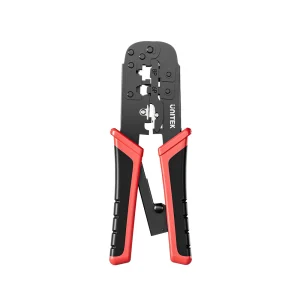
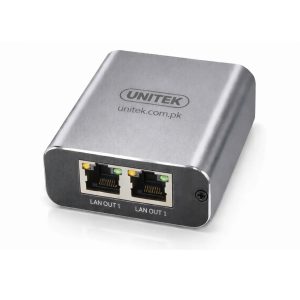
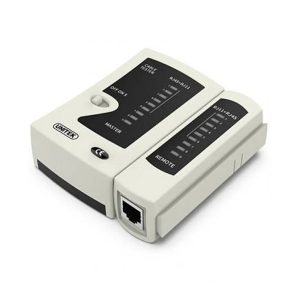
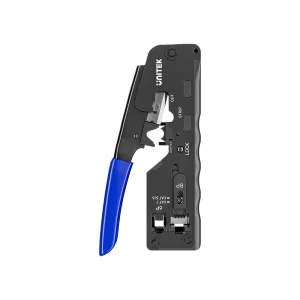
Shop UNITEK network tools in Pakistan: multi-function RJ45 and RJ11 crimping tools, an 8P, 6P and 4P ratchet crimping tool, a network cable tester, a box of 100 Cat6 RJ45 connectors, Cat6 and Cat7 pass-through connectors, an RJ45 F/F coupler and a 1-to-2 gigabit network splitter. Every product page shows its full specifications and the latest price.

Buying Guide

Buying Guide: UNITEK RJ45 Crimping Tools & Connectors in Pakistan

To make or repair a network cable you need three things: the cable, RJ45 connectors and a crimping tool. A crimping tool presses the connector onto the cable. A cable tester then checks that all the wires are in the right order.

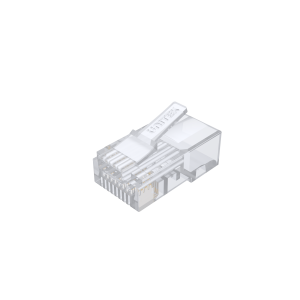
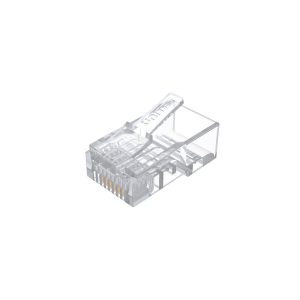
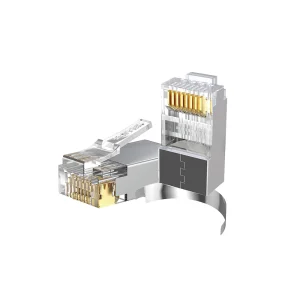
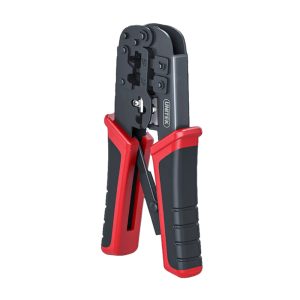
Choose the connectors to match your cable category. UNITEK has Cat6 connectors in a box of 100, Cat6 pass-through connectors that let the wires go through the plug, and Cat7 shielded gold-plated pass-through connectors. The multi-function crimping tools handle RJ45 and RJ11 plugs, and the ratchet tool supports 8P, 6P and 4P plugs.

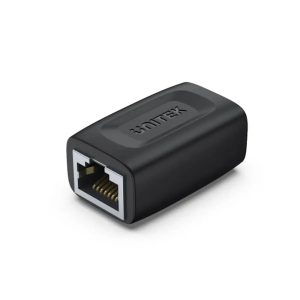
An RJ45 coupler joins two cables, and the 1-to-2 gigabit network splitter lets two devices share one cable run when you use one at each end. Check each product page for compatibility.

FAQs

What do I need to make an Ethernet cable?

You need a cable, RJ45 connectors and a crimping tool, and you follow the wiring standard. A cable tester then checks the result.

What is a pass-through connector?

The wires pass through the plug and are cut flush, which makes it easier to get the wire order right. It needs a tool that supports it. Check the product page.

Can the tool crimp RJ11 as well?

The multi-function tools listed for RJ45 and RJ11 can. Check the product page of the tool you pick.

What does the network splitter do?

It lets two devices share one Ethernet cable run, and you use a splitter at each end. Check the product page for how to set it up.

See all UNITEK products →

View all UNITEK LAN Cable →

Ask AI Chat on WhatsApp