
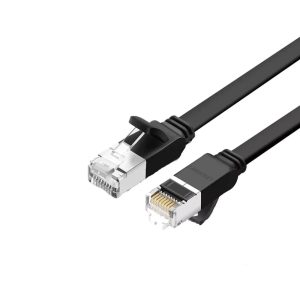
LAN Cables
Cat6 and Ethernet patch cables for home, office and routers. Shop genuine LAN Cables in Pakistan at One Chip Computers and compare models by specification, length, power rating or compatibility to find the one that fits your devices. Every product page lists the model number and key specifications, so you can choose with confidence for home, office, gaming or study use.
Buying Guide: LAN Cables in Pakistan
A LAN (Ethernet) cable connects your PC, laptop, router, switch, smart TV or gaming console to the network with a stable wired connection that is more reliable than WiFi.
Read moreShow less
Cat6 patch cords are a good choice for most home and office networks and support Gigabit speeds with room for future upgrades. Pick the length that matches the distance to your router or switch, keep a single run under 100m, and use an adapter if your laptop has no Ethernet port. See also our USB to LAN adapters and network tools.
Frequently Asked Questions
Cat5e aur Cat6 mein kya farq hai? (Cat5e vs Cat6?)
Both support Gigabit Ethernet. Cat6 handles interference better and supports higher speeds over short distances, which makes it a safer choice for new installations.
LAN cable ki zyada se zyada length kitni ho sakti hai? (What is the maximum LAN cable length?)
A single Ethernet run can be up to 100m. Beyond that, add a switch or use fiber.
WiFi ke muqable mein LAN cable behtar kyun hai? (Why use a LAN cable instead of WiFi?)
A wired connection gives a steadier speed and lower latency, which helps gaming, video calls, streaming, CCTV and file transfers to a NAS.
LAN cable ki price kitni hoti hai? (What decides the price of a LAN cable?)
The price depends on the length and the cable category. The latest price is shown on each product page.
More questionsShow fewer
Router ko PC se kaise connect karein? (How do I connect a PC to a router?)
Plug one end into a LAN port on the router and the other into the Ethernet port of your PC. For laptops without a port, use a USB or USB-C to LAN adapter.
Kya LAN cable internet speed barha deti hai? (Does a LAN cable make internet faster?)
It does not go beyond your internet plan, but it removes WiFi drops and lets you use the full speed you are paying for.
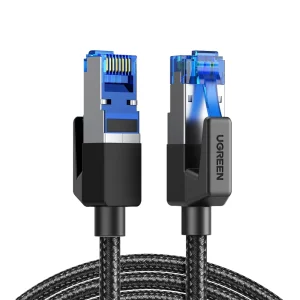
UGREEN
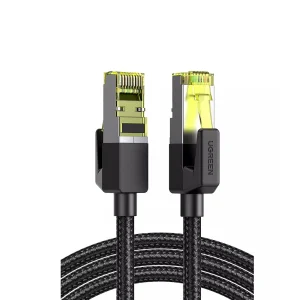
UGREEN 80429 Cat 8 Ethernet Cable (1 Meter) High Speed Braided 40Gbps 2000Mhz
Rs 1,600
In Stock
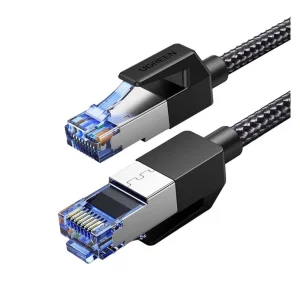
UGREEN
UGREEN 80430 CAT 8 PURE COPPER ETHERNET CABLE ROUND BRAIDED OD 5.5mm BLACK 1.5M
Rs 1,700
In Stock
UGREEN
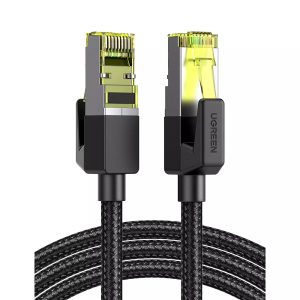
UGREEN 80431 Cat 8 Ethernet Cable (2 Meter) High Speed Braided 40Gbps 2000Mhz
Rs 2,000
In Stock
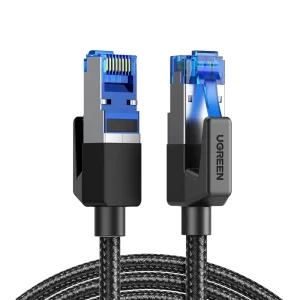
UGREEN
UGREEN 80433 Cat 8 Ethernet Cable (5 Meter) High Speed Braided 40Gbps 2000Mhz
Rs 3,100
In Stock
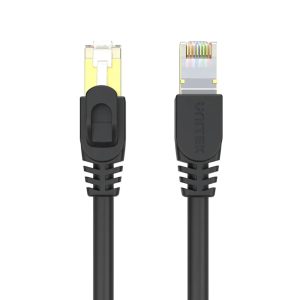
UNITEK
UNITEK C1810EBK CAT7 SSTP RJ45 ETHERNE CABLE BLACK
Rs 1,950
In Stock
Select options
This product has multiple variants. The options may be chosen on the product page
Order on WhatsApp
No products match these filters. Try removing one, or use Clear All.
Loading more products…